
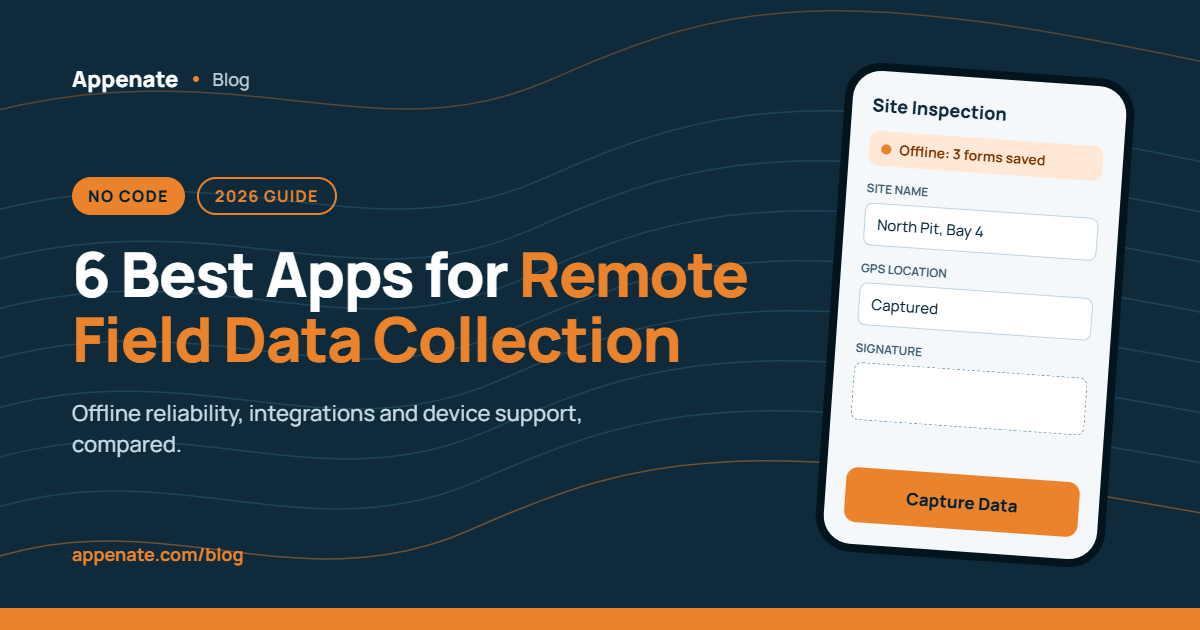
Collecting field data in areas with patchy or zero connectivity is one of the most persistent headaches in remote operations. Your crews are out on site, but the data they capture doesn’t reach the office until hours or days later. That lag creates compliance gaps, delays reporting, and forces manual re-entry that nobody has time for.
This guide compares six no-code field data collection platforms built for exactly that scenario. Appenate leads the pack with industrial-grade offline functionality, open-architecture integrations, and a drag-and-drop form builder that adapts to your way of working. Below, you’ll find honest evaluations of each platform’s offline capabilities, customization depth, and integration options so you can make a confident decision.
Quick guide: 6 best no-code apps for remote field data collection
- Appenate: The best overall no-code platform for offline field data capture with full native apps, white-label options, and enterprise-grade integrations.
- Fulcrum: A geospatial-focused field operations platform with offline GIS mapping and form validation.
- Jotform: A form builder with offline mobile forms and a large template library for general data capture needs.
- GoCanvas: A frontline operations platform with drag-and-drop form creation and workflow routing.
- SafetyCulture: An inspection-oriented platform with offline checklists, asset tracking, and team training modules.
- Device Magic: A mobile forms tool with offline submission storage and automated data routing to multiple destinations.
How we chose the best no-code apps for remote field data capture
Finding the right platform for remote field operations means looking beyond feature checklists. We evaluated these six platforms through the lens of what actually matters when your team is working in areas with unreliable connectivity and complex compliance requirements.
- Offline reliability: Can your field crew complete, save, and submit forms with zero signal? We looked at how each platform stores and syncs data when connectivity returns.
- No-code customization depth: How far can you go without writing a single line of code? We tested drag-and-drop builders, conditional logic, and formula capabilities.
- Integration flexibility: Does the platform connect with the systems you already use? We checked for native connectors, REST API access, and webhook support.
- Mobile device support: We assessed native app availability across iOS, Android, and Windows, since field teams carry a variety of devices.
- Field-specific features: GPS tagging, barcode scanning, photo capture, NFC, and digital signatures are not optional extras in remote operations. We verified which platforms include them natively.
- Deployment and onboarding speed: How quickly can a non-technical team get from zero to live forms in the field? We considered setup complexity, training resources, and support quality.
The 6 best no-code apps for remote field data collection
1. Appenate: Best overall no-code platform for remote field data capture
Appenate is a no-code mobile app builder and forms platform designed for teams that need industrial-grade customization and full offline capabilities. Organizations in construction, mining, utilities, energy, and field services use Appenate to digitalize paper-based workflows and capture structured data in locations where connectivity is unreliable or non-existent.
What sets Appenate apart is the combination of offline-first architecture with an open integration layer. Forms, tasks, logic, and data all remain fully functional on the device with no signal required. When connectivity returns, everything syncs automatically. Appenate connects natively with Salesforce, SharePoint, Power BI, BigQuery, Snowflake, Xero, NetSuite, and dozens of other systems through pre-built connectors and a REST API.
The platform also offers a 360-degree white-label option, letting partners and resellers deliver branded native apps on iOS, Android, and Windows without any mention of Appenate. That flexibility, combined with features like AI-powered form generation, contactless signatures, OCR, NFC, and GPS tagging, makes Appenate a fit for complex, multi-site operations.
“Appenate’s remote-first design and its ability to quickly re-sync when access is restored has improved our data collection immensely.” — Mark Chimes (McClelland Concrete Pumping)
Appenate features
- Full offline functionality: All form types, conditional logic, tasks, and data lookups work without a connection. Your crew captures data in dead zones, and it syncs the moment signal returns.
- AI-powered form builder: Describe what you need in text or voice, and the AI form generator creates a pre-configured form in seconds. Refine it with the conversational AI assistant to speed up deployment.
- Conditional logic and formula builder: Build dynamic forms that show or hide fields, auto-fill data, or trigger actions when specific conditions are met, putting you in the driver’s seat over your data capture process.
- Native apps on iOS, Android, and Windows: Fully native apps deliver speed and reliability across the three major mobile platforms, including rugged devices used in the field.
- Task management and workflow automation: Dispatch tasks to field teams, set up first-to-claim or role-based assignments, and automate handoffs between stages without you lifting a finger.
- White-label and App as a Service: Resell the platform under your own brand with zero Appenate references. Native apps carry your images, logo, and colour palette.
Appenate pros and cons
Pros:
- Offline capabilities are standard across the entire platform, not a premium add-on. Every plan includes full offline field data capture.
- Free one-on-one training and lifetime support mean your team has a dedicated resource from day one through every future expansion.
- Pay-per-user licensing with no minimum user requirements gives you flexibility as your team scales up or down.
Cons:
- Appenate does not currently offer built-in dashboards natively. You can work around it by connecting to Power BI, Tableau, and Snowflake through the plug-and-play integrations for analytics and reporting.
- The wide range of customization options can require an initial learning period, though the free onboarding assistance and AI assistant help flatten that curve.
- The template library, while growing, is smaller than some general-purpose form builders. The AI form generator offsets this by letting you create purpose-built forms in seconds.
2. Fulcrum: Geospatial field operations with offline GIS tools
Fulcrum is a field operations management platform focused on geospatial data capture. It provides offline GIS tools that let teams download maps, base layers, and Esri tiles before heading out. In the field, crews can drop points, trace lines, and track GPS locations without a live connection.
Form validation rules run in real time on the device, reducing data errors while teams are still on site. Fulcrum runs on iOS and Android with role-based permissions to keep workflows consistent. The company has also introduced AI-guided fieldwork features for inspections.
Fulcrum features
- Offline GIS and mapping: Teams download maps and base layers before deployment, enabling interactive spatial data capture in areas with no signal.
- On-device form validation: Validation checks run locally on the mobile device, flagging incomplete or incorrect entries before syncing.
- AI-guided fieldwork: AI features assist during inspections by capturing context and guiding teams through task steps.
Fulcrum pros and cons
Pros:
- Geospatial and GIS features are deeply integrated into the data capture workflow.
- On-device validation reduces data quality issues at the point of entry.
- Used by nearly 3,000 companies across 100+ countries for field operations.
Cons:
- No native Windows app support. Field teams limited to iOS and Android devices.
- The platform does not include a white-label option for resellers or partners.
- Limited pre-built connectors compared to platforms with broader integration ecosystems.
3. Jotform: Template-rich form builder with offline mobile forms
Jotform offers a no-code form builder with a large library of over 3,500 app templates. Its mobile forms app allows offline data collection, storing submissions on the device and syncing them automatically when reconnected. Jotform also includes conditional logic, pre-populated fields, and kiosk mode for in-person events.
The platform has introduced AI-powered app building through integrations with ChatGPT and Claude, letting users describe an app in plain language and generate it without coding. Jotform runs on iOS and Android and includes features like geolocation, signature capture, QR code scanning, and photo uploads.
Jotform features
- Offline form collection: Responses are stored locally and sync to your account when internet access is restored.
- 3,500+ app templates: A large template library covers a range of use cases from inspections to event registrations.
- Conditional logic and answer piping: Forms adjust dynamically based on user input, and answers from earlier questions carry into later ones.
Jotform pros and cons
Pros:
- A free tier is available with core form-building features included.
- The template library offers a quick starting point for common form types.
- AI-powered app creation through ChatGPT and Claude integration reduces setup time.
Cons:
- No native Windows app. Offline use is limited to iOS and Android.
- Offline functionality is primarily form-based and does not extend to full app workflows or task management.
- Enterprise-level integrations with systems like Snowflake, BigQuery, or on-premises databases require third-party middleware.
4. GoCanvas: Frontline operations platform with workflow routing
GoCanvas is built for construction, manufacturing, and field services teams replacing paper forms with digital data capture. The platform includes a drag-and-drop form builder, offline form completion, and auto-generated PDF reports. GoCanvas connects to over 1,000 applications through native integrations and an open API.
Custom dashboards and data standardization features let operations teams track productivity, job costing, and compliance metrics. GoCanvas runs on iOS and Android with role-based permissions for access control. It now sits alongside Bluebeam in the Nemetschek Group’s AEC/O ecosystem.
GoCanvas features
- Offline form completion: Field teams complete and submit forms from remote locations, with data syncing once connectivity returns.
- Custom dashboards: Built-in dashboards display job costing, crew productivity, and performance trends.
- 1,000+ integrations: Connects with Salesforce, Procore, and other enterprise systems through native connectors and API.
GoCanvas pros and cons
Pros:
- Native dashboard and reporting tools are included without third-party add-ons.
- Construction-specific integrations with Procore and Bluebeam support AEC/O workflows.
- Auto-generated PDF reports include embedded photos, timestamps, and location data.
Cons:
- No native Windows app. Limited to iOS and Android.
- The platform does not offer a white-label or reseller program.
- Offline functionality covers form completion but does not include offline task dispatch or workflow automation.
5. SafetyCulture: Inspection-first platform with offline checklists
SafetyCulture (formerly iAuditor) is a mobile-first operations platform used by over 70,000 organizations for inspections, audits, and compliance checks. The platform supports offline checklist completion, photo and video evidence capture, and professional report generation. SafetyCulture also includes team training modules, asset management, and scheduling.
AI-powered template creation lets users describe an inspection type and generate a starting checklist automatically. The platform runs on iOS and Android and offers a broad library of over 1,000 editable templates created by industry experts. SafetyCulture has processed over a billion checks per year, with a focus on safety and quality assurance workflows.
SafetyCulture features
- Offline inspections and audits: Complete inspections on the job with or without an internet connection, then sync results when reconnected.
- Asset management: Maintain a digital register of assets with inspection history and audit trails attached.
- Team training: Deploy bite-sized training courses directly through the mobile app, with over 1,000 editable library courses available.
SafetyCulture pros and cons
Pros:
- Inspection template library includes thousands of editable templates across multiple industries.
- Built-in training module allows you to deploy field team training without a separate LMS.
- Report generation includes photos, annotations, and corrective action tracking.
Cons:
- The platform is primarily designed around inspections and audits. It does not support full custom app development for broader field data capture needs.
- No native Windows app. Limited to iOS and Android devices.
- Workflow automation is focused on inspection-triggered actions rather than multi-step operational workflows.
6. Device Magic: Mobile forms with offline submission storage
Device Magic is a mobile forms platform designed for professional teams in field services, construction, and logistics. The platform offers a drag-and-drop form builder, offline form completion with automatic sync, and dispatch functionality for sending pre-populated forms to field workers. Device Magic runs on iOS and Android with native apps that function fully offline.
The platform includes conditional logic, input validation, barcode scanning, signature capture, and photo fields. Automated workflow routing sends completed forms to multiple destinations, and the platform supports integration with SQL databases, cloud storage, and business systems through its API.
Device Magic features
- Offline form submission: Forms completed offline are stored on the device and submitted automatically once an internet connection is detected.
- Dispatch functionality: Send pre-populated forms to field workers to notify them of new tasks or pre-fill known data.
- Automated workflow routing: Route completed form data to multiple destinations based on conditional answers.
Device Magic pros and cons
Pros:
- Offline submission and auto-sync are included as core functionality across all plans.
- Dispatch feature lets you push forms with pre-filled data directly to field workers.
- Conditional routing sends data to different destinations based on form responses.
Cons:
- No native Windows app support. Limited to iOS and Android devices.
- The platform does not include built-in dashboards or analytics. Reporting depends on external tools.
- No white-label option for resellers or consulting partners.
Comparison table: The best no-code apps for remote field data capture
| Platform | Windows Native App | White-Label Option | Native REST API |
|---|---|---|---|
| Appenate | ✓ | ✓ | ✓ |
| Fulcrum | ✗ | ✗ | ✓ |
| Jotform | ✗ | ✗ | ✓ |
| GoCanvas | ✗ | ✗ | ✓ |
| SafetyCulture | ✗ | ✗ | ✓ |
| Device Magic | ✗ | ✗ | ✓ |
How does offline field data capture actually work in no-code platforms?
Offline field data capture stores form structures, conditional logic, and reference data locally on the mobile device before your crew heads out. When a field worker opens a form with no signal, everything from dropdown options to validation rules runs directly on the device.
Completed submissions are saved to local storage. Once the device reconnects, the platform syncs stored entries to the cloud and pushes them through to connected systems. According to a Gartner forecast analysis (2025), the low-code development technologies market is projected to reach $58.2 billion by 2029, driven partly by the growing demand for offline-capable field applications. Appenate handles this through a local-first architecture, meaning forms, tasks, and data lookups all remain functional without any connection dependency.
The key differentiator between platforms is how much of the workflow stays available offline. Some platforms limit offline use to basic form completion. Others, like Appenate, keep conditional logic, task dispatch, and data lookups active while fully disconnected.
What should you look for when evaluating no-code platforms for remote operations?
Start with the connectivity reality of your work sites. If your teams regularly operate in dead zones or areas with intermittent signal, the platform’s offline architecture is the single most important evaluation criterion. A platform that only queues form submissions offline is not the same as one that keeps the entire workflow functional.
Next, consider integration depth. Remote operations teams usually don’t work in isolation. Your field data needs to reach ERPs, CRMs, compliance databases, and analytics platforms in real time once connectivity returns. A McKinsey analysis of 50+ industrial organizations (2025) found that service-focused companies with connected digital data flows generated 1.7 times the total shareholder returns of product-only peers. Look for native connectors and REST API access rather than relying solely on third-party middleware.
Finally, evaluate the customization ceiling. A drag-and-drop builder gets you started, but remote operations often involve complex, multi-step workflows with conditional logic, calculated fields, and role-based access. Appenate delivers industrial-grade customization through its formula builder, conditional logic engine, and task management system, letting you build apps that bend to your workflow rather than the other way around.
Why Appenate is the best no-code app for remote field data collection
Appenate gives you a complete no-code platform where offline field data capture isn’t a feature checkbox. It’s the foundation of the entire architecture. Every form, task, lookup, and piece of conditional logic works without a connection, and everything syncs the moment signal returns. That reliability is what separates Appenate from platforms that treat offline as a fallback mode.
The open-architecture integration layer connects your field data directly to Salesforce, Power BI, BigQuery, SharePoint, and dozens more through pre-built connectors and webhooks. For teams running multi-site operations, the enterprise toolkit and white-label option provide the deployment flexibility that general-purpose form builders simply don’t offer.
Combined with AI-powered form generation, free lifetime support, and pay-per-user licensing with no minimum, Appenate makes it practical to digitalize remote operations at any scale. ➡️ Start your free trial and see how Appenate adapts to your way of working.
FAQs about no-code apps for remote field data collection
What is no-code field data capture?
No-code field data capture lets you build custom mobile forms and apps for collecting information in the field without writing any code. Appenate provides a drag-and-drop form builder with conditional logic, formula fields, and workflow automation so your team can go from idea to live deployment in minutes.
Can you collect field data offline with a no-code app?
Yes. Platforms with offline-first architecture store forms, logic, and reference data locally on the device. Appenate keeps the entire workflow functional offline, including task management and data lookups, then syncs automatically when connectivity returns.
How does Appenate compare to other no-code platforms for remote operations?
Appenate delivers full offline capabilities as a standard feature across all plans, supports native apps on iOS, Android, and Windows, and includes a white-label option for resellers. That combination of offline depth, device coverage, and deployment flexibility is not matched by general-purpose form builders.
What integrations does Appenate support for field data?
Appenate connects natively with Salesforce, SharePoint, Power BI, Google BigQuery, Snowflake, Xero, NetSuite, and SQL Server through pre-built connectors. For other systems, the REST API and webhooks give you open-architecture access to virtually any platform with an exposed web service.
Is a no-code platform secure enough for compliance-sensitive field data?
Appenate supports enterprise-grade security standards, including HIPAA, GDPR, SOC 1, and SOC 2 compliance. The platform also offers on-premises hosting, penetration testing, and contactless signature capture with two-factor authentication for teams with strict regulatory requirements.